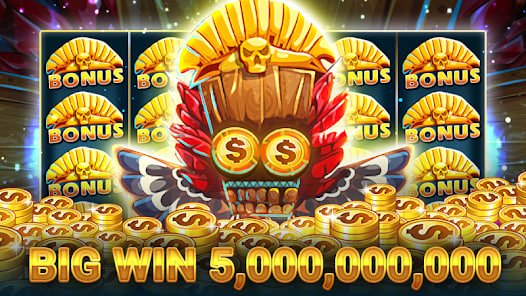
With the official eg77 mobile app, enjoy slots, fish games, and bingo anytime — at home or on the go. Fast loading, smooth gameplay, and fully secure transactions.
Available on both Android and iOS
Works on any phone running Android 6.0 or above. Install the APK file directly from eg77.onl — takes just a few seconds.
The eg77 app runs beautifully on iPhone and iPad. Fully supported on iOS 13 and above, with stunning visuals on Retina displays.
There's a big difference between playing on a browser and playing on a dedicated app. eg77's dedicated mobile app gives users a whole different experience — no waiting for pages to load, no browser crashes mid-game, and notifications that reach you instantly.
Internet speeds in Bangladesh aren't always consistent. With that reality in mind, the eg77 app is built to be lightweight and fast. It runs smoothly even on slow networks — lag or freezing mid-game is virtually a non-issue.
Once you're logged in to the app, you won't need to re-enter your password each time. Log in once and stay logged in as long as you like. With biometric login (fingerprint or Face ID) supported, you get both security and convenience in one.
What sets the app apart from the rest
All games on the website are available on the app too — fish games, slots, bingo, and 50+ more, all in one place.
Withdraw directly to bKash, Nagad, Rocket, or your bank from the app — done in just a few taps.
New bonuses, free spins, tournaments — all updates delivered directly to your phone via push notifications.
The entire app is available in Bengali — menus, game instructions, support, everything in your own language.
Log in securely and instantly using fingerprint or Face ID — no need to remember your password.
Chat with our support team without leaving the app — live chat is available 24 hours a day, 7 days a week.
Installing the app is straightforward. Just follow the steps below — you'll be up and running in about 2 minutes.
Go to Settings → Security → Unknown Sources on your phone and enable it. This is a one-time step — you won't need to do it again.
Download the latest APK file from the app page on eg77.onl.
Once the download is complete, open the APK file from your file manager and tap Install.
Once installation is complete, open the app and log in or create a new account.
On your iPhone or iPad, go to eg77.onl/app in Safari.
Tap the Share icon (arrow in a box) at the bottom and scroll down to find "Add to Home Screen".
Tap "Add to Home Screen", confirm the name, then tap Add — the eg77 icon will appear on your home screen.
Tap the eg77 icon on your home screen and enjoy a fullscreen app experience.
Tips: Android users can turn Unknown Sources back off after installing the APK — a good habit for keeping your device secure.
| Features | Eg77 App | Mobile browser |
|---|---|---|
| Loading speed | Fast | Comparatively slower |
| Push notifications | Yes | None |
| Biometric login | Supported | Not supported |
| Auto Login | Yes | Limited |
| Fullscreen gaming | Yes | Address bar visible |
| In-App Support | Direct | Requires a separate window |
| Storage usage | Just 5 MB | No installation required |
Every game available on the website is available in the eg77 app at the same quality. From the fish game series to classic slots, bingo, and Live Casino — it's all there. Each game is individually optimized for mobile screens, so you can play comfortably in both landscape and portrait mode.
In action-based games like fish games, the touchscreen controls are so smooth you won't miss a mouse or keyboard at all. Spinning in slots is even easier — a single tap on the screen is all it takes.
Whenever eg77 launches a new game, app users are the first to know via push notification. App-exclusive bonuses and free spins are also offered from time to time — available only to app users.
Depositing and withdrawing from the app is just as easy as on the website. bKash, Nagad, Rocket, and bank transfer are all fully supported. Withdrawals are completed in just a few taps, with notifications keeping you updated at every step.
Ariful Islam from Dhaka used to play eg77 on his browser. But ever since he installed the app, he hasn't gone back. As he puts it, "Games load in the blink of an eye on the app. And bonus notifications come straight to my phone — there's no way to miss them."
Sumaiya Begum from Chattogram plays fish games on the eg77 app every day during her office break. In her words, "Playing fish games on the phone screen is a lot of fun. The touch controls are so responsive that you get the hang of it almost instantly."
Eg77 regularly updates the app to add new features and improve performance. Android users can update by downloading the latest APK from eg77.onl. If notifications are enabled, you'll be alerted automatically whenever a new update is available.
Eg77 VIP members get a dedicated premium interface in the app. The VIP dashboard gives you an at-a-glance view of your points, rank, exclusive offers, and dedicated support link. Not a VIP member yet? You can upgrade easily right from the app.
The eg77 app is more than just a gaming tool — it's a complete gaming companion. Manage your account, check transaction history, contact support, and claim promotions, all from one place. That kind of all-in-one experience is hard to match in a browser.
The eg77 app keeps your personal information fully protected. It requests only the permissions it actually needs — notifications and network access. Your personal and financial data is never shared with third parties. To learn more, visit our Privacy Policy Read.
Keep in mind: Only download the eg77 app from the official site, eg77.onl. Files downloaded from other sources may not be safe.